Your Complete Daily SEO Optimization Checklist for 2026
Use this daily SEO optimization checklist to monitor crawl errors, rankings, CTR, and on-page signals in 25 focused minutes every morning.

A daily SEO optimization checklist should cover five core areas: checking crawl errors and indexing status, reviewing ranking fluctuations for target keywords, monitoring click-through rates in Google Search Console, auditing new or updated pages for on-page signals, and flagging broken links or technical issues. Spending 20–30 focused minutes on these tasks each morning keeps your site healthy, catches problems before they compound, and compounds small gains into measurable ranking improvements over weeks.
Your Daily SEO Optimization Checklist: The Complete Morning Workflow
Run your daily SEO optimization checklist in five timed blocks of five minutes each, 25 minutes total, every morning before other work starts.
Most SEO problems compound quietly. A crawl error on a product page, a 4-position ranking drop on a high-traffic keyword, a new page missing its canonical tag, none of these trigger alerts by default. A structured morning routine catches them the same day they appear, not three weeks later when the damage shows up in traffic reports.
Not every SEO task belongs on the daily list. Content refreshes and internal link audits are weekly work. Full technical audits and link-building reviews belong on a monthly calendar. According to SEOcrawl's comprehensive SEO checklist guide, the daily window covers only what changes overnight: crawl status, rank movements, CTR signals, on-page elements on new pages, and backlink or brand mention flags.
"SEO is not a one-time task — it's a daily discipline. The sites that win long-term are the ones that catch small problems before they become big ones." — Rand Fishkin, Founder of SparkToro and Moz
Essential On-Page and Technical Tasks to Do Every Day
Every page published or updated in the last 24 hours needs a four-point check before the day starts: title tag, meta description, H1, and canonical tag. A missing or duplicate canonical on a new e-commerce product page can split ranking signals across URLs within hours of publication, catching it at 9 a.m. beats catching it at next month's audit.
On the technical side, open Google Search Console and check three specific signals each morning: impressions delta versus the prior 7-day average, any keyword where average position has shifted 3 or more places, and pages ranking in positions 4–10 with a CTR below 2%. That last group represents your highest-use on-page optimization targets, they already rank but aren't earning clicks.
How to Structure Your Daily Workflow Across On-Page, Technical, and Off-Page SEO
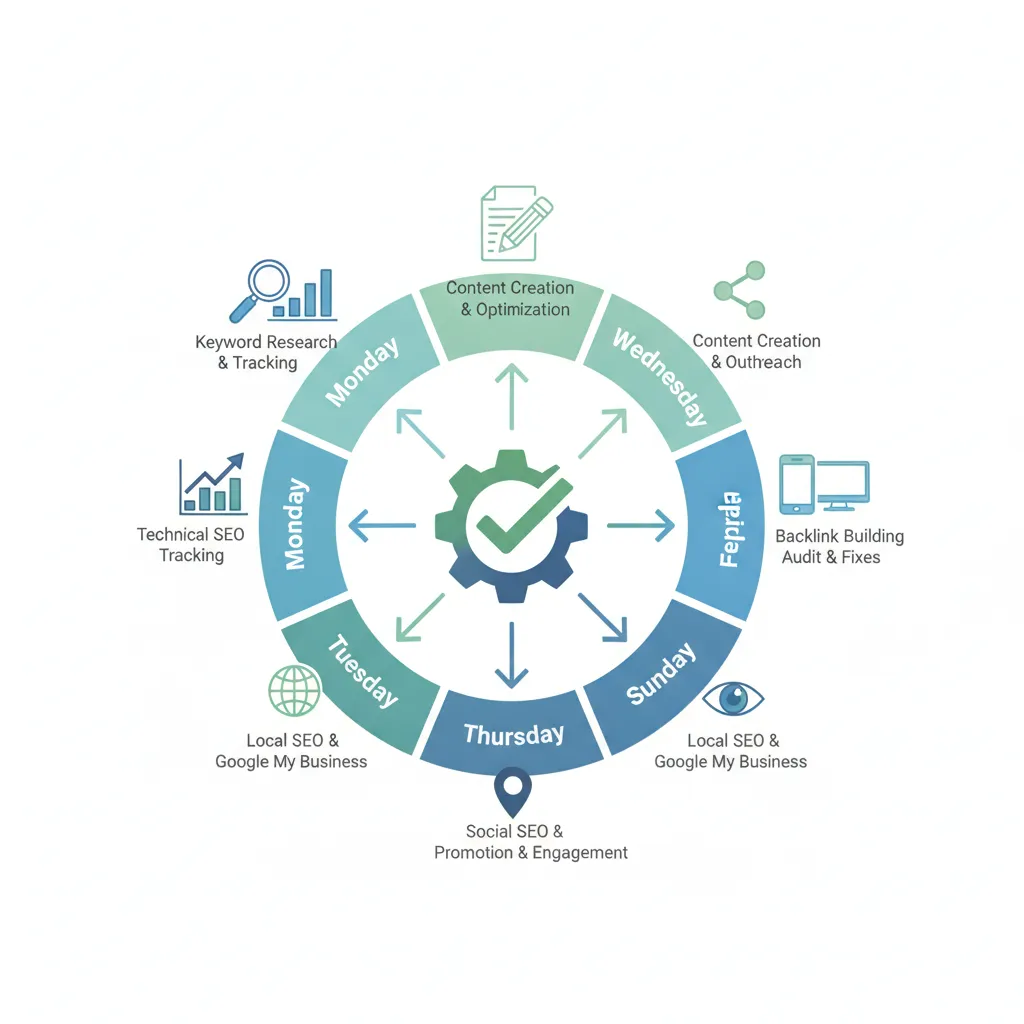
Break the 25-minute window into five sequential blocks:
- Minutes 1–5, Crawl and index check: Review GSC's Coverage report for new errors, excluded URLs, or indexing drops since yesterday.
- Minutes 6–10, Ranking review: Scan your rank tracker for keywords that moved 3+ positions in either direction. Flag any that dropped out of the top 20.
- Minutes 11–15, GSC CTR scan: Filter by impressions delta and identify pages in positions 4–10 with CTR under 2%, these are title tag and meta description candidates.
- Minutes 16–20, On-page audit of new or updated pages: Verify title tag, meta description, H1, and canonical for every page touched in the last 24 hours.
- Minutes 21–25, Backlink and brand mention scan: Check your link monitoring tool for new referring domains and any brand mentions that lack a link back to your site.
Sites with 500 or more pages, or active news sections and e-commerce catalogs with daily product churn, should extend this window to 45 minutes. Higher crawl frequency and constant content turnover mean more crawl errors, more new pages to audit, and more rank movements to review each morning. For a broader view of monthly priorities, MarketVeep's monthly SEO checklist outlines the six essential tasks that complement your daily routine.
Automate Daily SEO Monitoring With the Right Tools
Four tools, Semrush, Ahrefs, Google Search Console, and Screaming Frog, cover the monitoring tasks most businesses waste 30+ minutes doing manually each day.
Setting these up correctly means your daily SEO optimization checklist shrinks to reviewing alerts, not generating them. Each tool handles a distinct layer of your site's health.
"The best SEO tool is the one you actually use every day. Automation removes the friction that causes teams to skip their morning checks." — Barry Schwartz, Editor at Search Engine Roundtable and News Editor at Search Engine Land
How to Use Screaming Frog, Semrush, or Ahrefs for Daily SEO Checks
Semrush Position Tracking sends daily email alerts the moment a target keyword moves 3 or more positions. Configure it once during onboarding, point it at your core keyword set, and it replaces a manual ranking check entirely, no spreadsheet required.
Ahrefs Alerts monitors new backlinks, lost backlinks, and new keyword rankings on a daily digest schedule. Set the delivery time to early morning so the report lands before you open your checklist session; you review changes, not raw data.
Google Search Console's email alerts for manual actions and coverage issues are free and flag critical indexing problems within 24 hours. If you haven't enabled them yet, go to Settings → Email Preferences inside Search Console and switch them on now. According to Google's official Search Console documentation, enabling these alerts is one of the most important baseline steps for any site owner.
Screaming Frog can run on a nightly schedule via its command-line interface. Configure it to export a diff report each morning that surfaces new 404 errors, redirect chains, and missing meta tags added since the previous crawl, catching on-page regressions before they compound. For more information, see Why You Should Incorporate Cbd Into Your Daily Routine 2.
Which Daily SEO Monitoring Tasks Can Be Fully Automated
Rank tracking, backlink changes, crawl error detection, and indexing alerts can all run without manual input once configured. The tasks that still need a human are interpreting trend data, deciding whether a ranking drop signals a penalty or normal volatility, and acting on the findings.
- Keyword position changes → Semrush Position Tracking daily email
- New and lost backlinks → Ahrefs Alerts morning digest
- Manual actions and index coverage drops → Google Search Console email alerts
- 404s, redirect chains, missing meta tags → Screaming Frog scheduled nightly crawl with diff export
For full tool setup walkthroughs, the Complete Guide to Automated SEO Monitoring in 2026 and the Best SEO Automation Software for 2026 cover configuration in depth. This section is the daily-use layer that sits on top of those broader guides.
Track These Key SEO Metrics Every Single Day
Your daily SEO optimization checklist should focus on three signals: organic clicks, average keyword position, and crawl coverage, everything else can wait a week.
Should You Monitor Ranking Changes, CTR, and Crawl Errors Every Day
Yes, but only the metrics that change fast enough to act on within 24 hours. Ranking shifts, click-through rate drops, and new crawl errors all meet that threshold. Core Web Vitals do not: LCP, CLS, and INP data in Google Search Console lags by 28 days, so reviewing them daily means chasing noise. Flag them for your weekly review instead.
CTR benchmarks give you a concrete trigger for action. Position 1 averages roughly 28% CTR; position 3 drops to about 11%; position 10 falls to around 2.5%. A page sitting in position 4 with under 5% CTR has a title or meta description problem worth fixing that same day, not next sprint. According to Moz's SEO learning resources, optimizing for click-through rate is one of the highest-leverage daily activities available to SEO practitioners.
Real-Time KPIs That Matter Most for Daily SEO Optimization
Pull three numbers from Google Search Console each morning:
- Organic clicks, absolute total and the day-over-day delta. A drop of more than 15% with no ranking change points to a SERP feature change or a manual action.
- Average position for your top-20 keywords, a sudden drop of three or more positions on a high-value term warrants a content or link audit that day.
- Crawl coverage, indexed pages versus submitted pages. More than 5 new 404 errors in a 24-hour window warrants immediate investigation. A spike in "Discovered, currently not indexed" pages signals a crawl budget or internal linking problem.
E-commerce sites need one additional daily check: product pages returning a 200 status with no purchasable inventory. Those pages should be redirected or updated same-day, leaving them live wastes crawl equity on dead-end URLs.
Tools like Moonrank automate this monitoring layer, surfacing crawl errors, position changes, and AI search visibility gaps across ChatGPT, Gemini, Claude, and Perplexity, without requiring you to open five dashboards every morning.
Avoid These Common Daily SEO Checklist Mistakes
The most damaging daily SEO optimization checklist mistakes aren't skipped tasks, they're wrong habits repeated every session that erode rankings and waste hours.
Checking rankings more than once per day is the most common time sink. Third-party rank-tracking tools, Semrush, Ahrefs, SERPWatcher, pull Google data on a 24-hour cycle at best. A second check the same afternoon shows you the same snapshot, not a new one. Multiple checks create false urgency and trigger reactive page edits that do more harm than good.
Acting on a single day's traffic drop without context is the second major error. Before touching any page, cross-reference the Google Search Status Dashboard for confirmed algorithm activity, check Google Search Console for data lag (GSC reporting typically runs 2–3 days behind), and rule out seasonal patterns. One down day is rarely a signal.
Skipping the checklist on weekends carries real cost for e-commerce and news sites. A crawl error or indexing drop that starts Friday night compounds over 48 hours before Monday's review, two full days of lost visibility during peak shopping traffic.
"Consistency beats intensity in SEO. A 20-minute daily check run every single day will outperform a four-hour audit done once a month." — John Mueller, Search Advocate at Google
Two structural mistakes round out the list:
- Treating daily checks as a full audit. The daily session is triage only. Log non-urgent issues, thin content, orphaned pages, slow secondary templates, in a backlog and address them in weekly or monthly sprints.
- Using a one-size-fits-all checklist. A local service business should check Google Business Profile signals every day. A SaaS site should prioritize landing page crawl status and trial-page indexing. Mismatched checklists miss the signals that actually matter for your site type.
Customize Your Daily SEO Checklist by Business Type
A daily SEO optimization checklist should match your business model, the tasks that matter for a Shopify store differ sharply from those that protect a SaaS pricing page or a local restaurant listing.
What a Daily SEO Checklist Looks Like for E-Commerce Sites
E-commerce sites generate SEO problems overnight that generic checklists never mention. Run these three checks every morning:
- Scan for out-of-stock product pages. A page returning a 200 status with no buy button confuses both crawlers and customers. Flag it for a redirect, a back-in-stock notice, or a temporary noindex until inventory returns.
- Verify overnight product additions are indexed. New SKUs added via bulk upload often miss canonical tags or internal links, leaving them invisible to search engines for days. Check Search Console's URL Inspection tool the morning after any catalog update.
- Audit for duplicate title tags from faceted navigation. Filter pages (size, color, price range) routinely generate duplicate titles at scale. A daily spot-check on newly crawled faceted URLs catches this before it compounds.
For a deeper look at how AI search engines treat product pages, the AI SEO Ecommerce guide covers structured data and AI visibility for online stores specifically.
How SaaS, Local SEO, and News Sites Should Adjust Their Daily SEO Tasks
SaaS: Your pricing, features, and integrations pages carry the highest commercial intent on your site. Confirm each returns a 200 status daily, a misconfigured redirect on a pricing page can cost conversions within hours. Also monitor branded keyword CTR in Search Console; a sudden drop often signals a competitor bidding on your brand terms in paid search, which depresses organic click-through even when rankings hold. The SaaS AI search visibility page outlines how to protect and grow brand presence across AI engines like ChatGPT and Perplexity.
Local SEO: Check your Google Business Profile for new reviews each morning and respond within 24 hours, Google's own guidance connects review response speed to local pack visibility. Also verify that any new citations indexed overnight carry consistent NAP (name, address, phone) data; a single mismatched address on a new directory listing can erode local ranking signals.
News and media: Confirm that articles published in the last 24 hours appear in Google News and carry valid Article schema. If your site uses AMP, pull the AMP report in Search Console daily, validation errors suppress AMP pages from appearing in the Top Stories carousel, cutting traffic on your freshest content.

Frequently Asked Questions
How long should a daily SEO checklist take to complete?
A focused daily SEO checklist should take 20–30 minutes for most SMBs. That window covers checking Google Search Console for crawl errors or manual actions, reviewing the previous day's traffic in Google Analytics, and confirming that any new content published is indexed. Tasks that take longer, link audits, content rewrites, technical schema reviews, belong on a weekly or monthly schedule, not a daily one. If your daily routine consistently runs past 45 minutes, you have weekly tasks mixed in.
What is the difference between a daily SEO checklist and a weekly SEO audit?
A daily checklist covers monitoring and quick fixes: index status, crawl errors, ranking shifts, and content publishing. A weekly SEO audit goes deeper, analyzing backlink changes, reviewing keyword position trends across a full seven-day window, and assessing page-level performance data. Think of the daily checklist as a vital-signs check and the weekly audit as a full diagnostic. Both are necessary; running only one leaves gaps that compound over time.
Which SEO tasks should I prioritize first on my daily checklist?
Start with crawl errors and manual actions in Google Search Console, these block indexing and hurt rankings immediately if left unaddressed. After that, check for significant overnight ranking drops using your rank-tracking tool, then confirm that any scheduled content published in the last 24 hours is live and indexed. Fix blockers before optimizing. A page Google cannot crawl earns zero benefit from any on-page improvement you make to it.
Do I need paid SEO tools to run a daily SEO checklist, or can I use free tools?
Free tools cover most daily SEO tasks adequately. Google Search Console handles crawl error monitoring and index coverage at no cost, and Google Analytics 4 tracks traffic and engagement without a subscription. Where free tools fall short is rank tracking at scale and AI search visibility monitoring, neither Google Search Console nor GA4 shows you whether ChatGPT or Perplexity is recommending your business. Paid tools, or a platform like Moonrank, fill that gap starting at $99/month.
How does a daily SEO checklist change after a Google algorithm update?
After a confirmed Google algorithm update, add a temporary daily check on your top-20 ranking pages for traffic and position changes for at least 14 days. Google typically takes one to two weeks to fully roll out a core update, so early data can be misleading. Pause any large-scale on-page changes during the rollout window, diagnosing impact is harder when you are simultaneously changing variables. Once rankings stabilize, resume normal daily monitoring and assess which content categories gained or lost visibility.

Conclusion
A daily SEO checklist works only if it stays short enough to actually run every day. Prioritize crawl error checks and index monitoring first, blockers cost you rankings faster than any optimization gains them back. Pair that with consistent content publishing, because AI search engines like ChatGPT, Gemini, and Perplexity favor brands that produce fresh, structured content regularly.
The one task most SMBs skip entirely is tracking AI search visibility, knowing whether your business gets recommended, not just ranked. Start there: open Google Search Console today, clear any outstanding crawl errors, and then test how your brand appears when you type your category into ChatGPT. If a competitor shows up instead of you, visit www.moonrank.ai to see how Moonrank's automated daily optimization closes that gap.
Recommended Articles
Explore more from our content library: