Technical SEO for Ecommerce: Complete Guide
Master technical SEO for ecommerce: fix crawlability, site structure, page speed, and structured data to boost Google rankings and AI search visibility.

Technical SEO for ecommerce means fixing the crawlability, site structure, page speed, and structured data issues that stop Google, and AI engines like ChatGPT and Perplexity, from indexing and recommending your products. Ecommerce sites face unique challenges: thousands of product URLs, duplicate content from faceted navigation, and bloated indexes that waste crawl budget. Fix these systematically and you enable rankings, traffic, and revenue that better copy alone can never recover.
Understand Technical SEO for Ecommerce Before You Touch Anything
Technical SEO for ecommerce covers crawlability, indexation, site architecture, page speed, structured data, HTTPS, and canonicals, and each one interacts with catalog scale in ways a 20-page brochure site never faces.
A product catalog with thousands of SKUs creates URL sprawl, duplicate content from filters, and index bloat that quietly suppress rankings across the entire site. Fix the wrong thing first and you waste weeks; fix nothing and the problems compound month over month.
"Ecommerce sites are uniquely vulnerable to technical SEO issues because every new product, filter, or category page multiplies the potential for crawl waste and duplicate content at a scale most site owners never anticipate." — Cyrus Shepard, Founder at Zyppy SEO
How Technical Debt Compounds Against Ecommerce Sites in Google and AI Search
Technical debt on ecommerce sites accelerates faster than on any other site type because every new product, category, or filter combination multiplies the problem. A 10,000-SKU store with uncontrolled faceted navigation can waste 60–80% of its crawl budget on URLs Google should never index [3], directly suppressing the category and product pages that actually drive revenue.
The damage now extends beyond Google. AI search engines, ChatGPT, Perplexity, and Claude, rely on clean indexation and structured data to surface product recommendations. Missing structured data creates what one technical audit framework calls "ghost rankings" [2]: pages Google and AI systems partially understand but never confidently recommend. Technical debt hurts your GEO visibility alongside your organic rankings, not instead of it.
According to HubSpot's deep dive into technical SEO for ecommerce, the compounding nature of these issues means that stores which delay fixing crawl and indexation problems often see ranking declines accelerate rather than plateau over time.
For a deeper look at optimizing specifically for AI engines, see our companion guide on AI SEO for ecommerce.
Shopify vs. WooCommerce vs. Magento: Key Technical SEO Differences
Your platform determines your starting point, and your constraints. Shopify auto-generates canonical tags and blocks duplicate /collections/ URLs via robots.txt, which handles the most common indexation mistake out of the box, but it limits server-side rendering control so you can't fully customize how Googlebot processes JavaScript-heavy pages.
WooCommerce gives you full control over every crawl and indexation setting, but ships with no crawl-budget defaults, meaning a fresh install with faceted navigation active will happily let Google index thousands of filter URLs from day one. Magento generates the highest volume of URL variants by default and requires explicit layered-navigation configuration before any technical work can be considered stable.
Know which constraints your platform imposes before you open a single audit tool. The fixes available to a Shopify merchant differ from those a Magento developer can deploy, and conflating them produces a roadmap that doesn't work in practice.
Fix Crawl Budget, Index Bloat, and Site Architecture
Fixing crawl waste and flattening your site architecture are the highest-use technical SEO moves an ecommerce store can make.
On a 5,000-product store, expect 30–50% of crawled URLs to be low-value variants generated by filters, sorting options, and pagination [3]. Google wastes its crawl budget on ?color=red&size=M URLs instead of your actual product and category pages. Start your audit by pulling Google Search Console's Coverage report alongside a Screaming Frog crawl, filter for noindex, canonicalized, and duplicate URLs to see exactly how much of your crawl budget is bleeding out.
Once you've identified the waste, apply noindex + follow on faceted navigation URLs. In Shopify, inject the meta tag via theme.liquid. In WooCommerce, use Yoast or Rank Math's archive settings. In Magento, configure the Layered Navigation panel directly [3]. The follow attribute matters, it lets Googlebot pass link equity through the filtered URL without indexing the page itself.
"Crawl budget is one of the most misunderstood concepts in SEO. For large ecommerce sites, it's not abstract — wasted crawl budget directly translates to revenue-generating pages that Google simply never gets around to indexing." — John Mueller, Search Advocate at Google
Best Practices for Internal Linking on Large Product Catalogs
No product page should sit more than 3 clicks from your homepage [3]. Run Screaming Frog's "Crawl Depth" report and flag any products at depth 5 or deeper, then restructure the category hierarchy that buried them. Shallow site architecture not only improves crawl efficiency but also ensures that link equity flows more evenly across your catalog, giving your most important product pages a stronger ranking foundation. For more information, see Plateforme E Commerce Guide Complet Pour Choisir La Bonne.
Link from high-authority category pages to your top-revenue product pages using descriptive anchor text (e.g., "women's waterproof hiking boots" rather than "click here"). Add breadcrumb schema at the same time, it reinforces hierarchy signals to both Google and AI search engines like ChatGPT and Perplexity, which use structured data to understand catalog relationships.
How to Prioritize Technical SEO Fixes by Traffic and Revenue Impact
Not every technical issue deserves equal attention. Use GA4 to rank your categories by revenue, then fix crawl and index problems on your highest-earning sections first.
A 20% crawl budget recovery on a $500K/year category can restore rankings within 2–3 crawl cycles, a concrete return that justifies the fix over lower-traffic sections. This revenue-first approach is the core prioritization logic behind sound technical SEO for ecommerce: fix what earns money before fixing what merely exists.
- Export GA4 revenue by landing page and sort by category-level revenue.
- Cross-reference your top 10 revenue categories against the Screaming Frog crawl depth and Coverage report data.
- Assign fixes in order: crawl waste first, then thin content and schema gaps, then page speed [3].
- Re-crawl with Screaming Frog after each fix cycle to confirm the changes are live before moving to the next tier.
Implement Structured Data, Page Speed, and Core Web Vitals
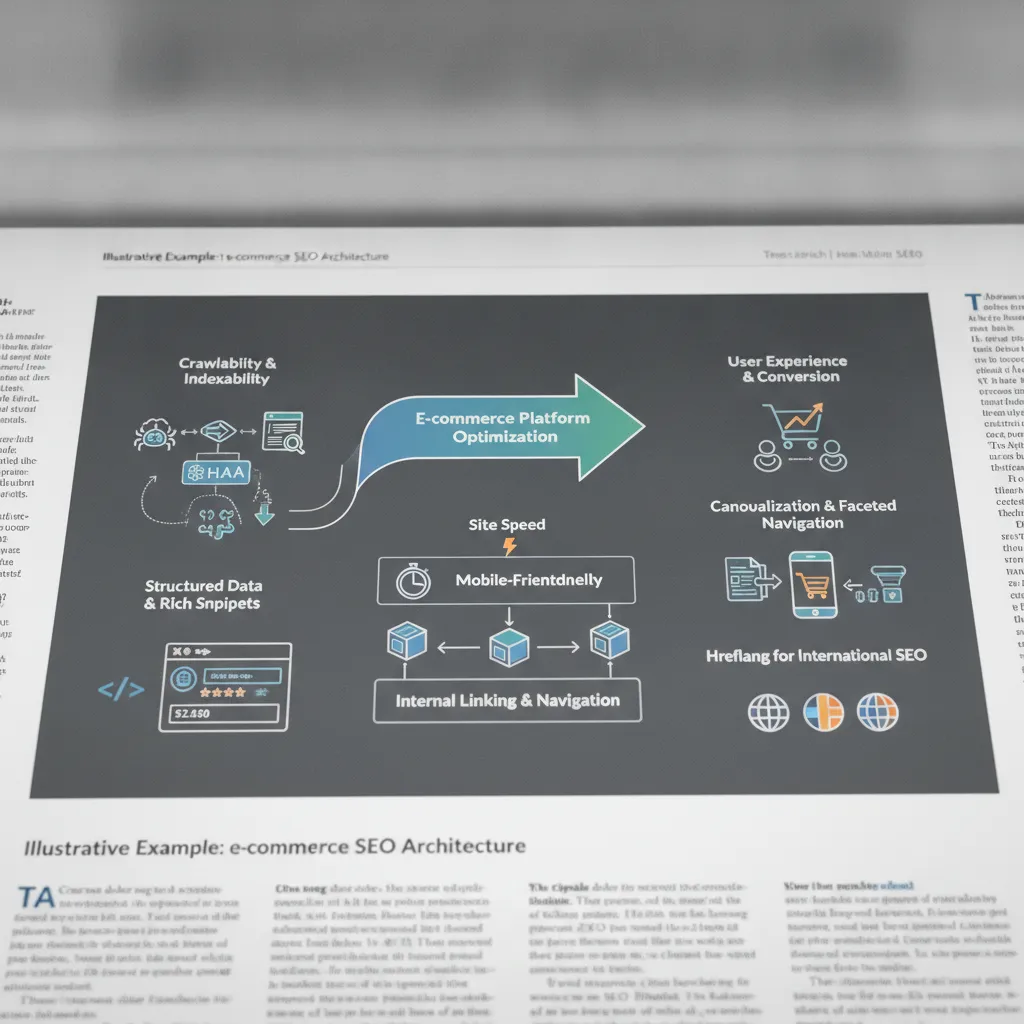
Structured data and fast page load times are the two technical SEO levers for ecommerce that most directly move both rankings and revenue.
How Structured Data and Rich Results Affect Ecommerce Visibility in AI Search
Add Product schema with offers, aggregateRating, and availability properties to every product page. These three properties enable price, review stars, and in-stock status to appear as rich results in Google Shopping, and they also surface product details directly inside ChatGPT and Perplexity product recommendation panels. Nestlé measured an 82% higher click-through rate on pages shown as rich results [3], which makes this one of the highest-return schema implementations available. According to Schema.org's Product specification, correctly implementing all required and recommended properties ensures maximum eligibility for rich result features across search engines.
Deliver all schema as JSON-LD injected into the <head> on every platform, Shopify, WooCommerce, and Magento all support this approach. On Shopify, add JSON-LD via a layout/theme.liquid snippet or a schema app. On WooCommerce, use the Yoast SEO or Rank Math plugin, which outputs Product schema automatically. On Magento, inject JSON-LD through a custom block in the page head layout XML.
Also add BreadcrumbList schema to every category and product page. Breadcrumb markup reinforces your site architecture signals and earns breadcrumb-style display in SERPs, a visible cue that increases click-through on competitive category queries [3]. Tools like Moonrank automate schema injection, including BreadcrumbList and Product markup, as part of its technical AI audit, removing the need to edit theme files manually. For the on-page signals that work alongside structured data, see the companion guide How to Optimize Product Descriptions With AI in 2026.
Page Speed and Core Web Vitals: Impact on Ecommerce Conversion Rates
Google's 2024 data shows stores hitting 'Good' Core Web Vitals thresholds convert 15% better than those in 'Needs Improvement', making CWV a revenue metric, not just a ranking signal. The three thresholds to hit are LCP under 2.5 seconds, INP under 200 milliseconds, and CLS under 0.1 [3]. Conversion rate drops roughly 4.42% for every additional second of load time between zero and five seconds [3].
The fix depends on your platform. On Shopify, compress images using Shopify's built-in optimizer, defer third-party app scripts to load after the main thread, and use a CDN-hosted theme. On WooCommerce, enable object caching via Redis or Memcached and choose a page builder that outputs minimal DOM nodes, heavy builders like Elementor can add hundreds of render-blocking elements. On Magento, enable Varnish full-page cache and route static assets through Fastly CDN.
Run PageSpeed Insights and Chrome's CrUX dashboard monthly to catch regressions before they compound. A single new app or plugin install can push LCP above the 2.5-second threshold across thousands of product pages simultaneously.
Avoid These Common Technical SEO Mistakes on Ecommerce Sites
Five recurring errors account for the majority of ranking losses in technical SEO for ecommerce: missing canonicals, redirect chains, mixed content, blocked assets, and parameter-generated duplicates.
"The most damaging technical SEO mistakes on ecommerce sites are almost always invisible to the store owner — they show up as slow ranking declines rather than sudden drops, which is exactly why they go unfixed for so long." — Lily Ray, VP of SEO Strategy at Amsive
Mistake 1, No Canonical on Paginated Pages
/category?page=2 without a self-referencing canonical causes Google to split PageRank across every pagination URL. The fix is a rel="canonical" tag pointing to the paginated URL itself, not page 1. Both Shopify and WooCommerce have plugins that automate this, but verify the output manually after installation.
Mistake 2, Redirect Chains on Discontinued Products
A 301 → 301 → 301 chain loses roughly 15% of link equity per hop [3]. Run Screaming Frog's "Redirect Chains" report, then collapse every chain to a single direct 301 pointing to the live replacement or closest category page.
Mistake 3, HTTPS Mixed Content After Migration
One HTTP image on a product page triggers browser security warnings and can suppress rankings. Scan with Why No Padlock, then update hardcoded HTTP asset URLs directly in the database, a find-and-replace in wp_posts or equivalent covers most cases quickly.
Mistake 4, Blocking CSS and JavaScript in robots.txt
Googlebot must render your pages to evaluate Core Web Vitals and parse structured data. Never disallow /wp-content/ or /assets/ directories, doing so hides the signals Google uses to score page experience and validate schema.
Mistake 5, Duplicate Pages from URL Parameters
Sort, filter, and session-ID parameters each create a new indexable URL [3]. Configure parameter handling in Google Search Console and set canonical tags at the platform level so every parameter variant points back to the clean canonical URL.
Frequently Asked Questions
How does technical SEO for ecommerce differ for marketplace sellers on Amazon or eBay versus self-hosted stores?
Marketplace sellers have almost no control over technical SEO, Amazon and eBay own the crawlability, schema, and page speed decisions. Self-hosted stores on Shopify or WooCommerce give you full control over structured data, canonical tags, site architecture, and page speed, which means you carry the responsibility for fixing issues but also capture the full ranking benefit when you do. If you sell on both channels, prioritize your own store's technical health; that's where organic search equity actually accumulates.
What before-and-after metrics can I expect from fixing technical SEO issues on my ecommerce site?
Results vary by site size and issue severity, but common improvements include a 20–40% increase in indexed pages after resolving crawl budget waste, and measurably higher click-through rates after adding product schema, Nestlé reported an 82% CTR lift on pages shown as rich results [3]. Page speed fixes typically reduce bounce rate and can recover conversion rate losses of roughly 4.42% per additional second of load time [3]. Expect meaningful movement within 6–12 weeks of implementation.
How do I handle technical SEO for out-of-stock or discontinued product pages?
Keep out-of-stock pages live with updated schema and a clear restock message rather than deleting them, they retain backlink equity and ranking history. For permanently discontinued products, set up a 301 redirect to the closest relevant category or replacement product page. Returning a 404 on a page with established authority wastes the link equity it has accumulated and forces Google to re-crawl dead ends, which burns crawl budget [3].
Does technical SEO affect how AI engines like ChatGPT and Perplexity recommend my products?
Yes, structured data, clean crawlability, and citation signals directly influence how AI engines parse and trust your catalog [2]. AI systems like ChatGPT and Perplexity pull from indexed, well-structured content; missing schema or indexation gaps make your products effectively invisible to their retrieval logic. Tools like Moonrank address this specifically by implementing schema markup, llms.txt configuration, and structured data automatically, so your store's content is readable by both Google's crawler and AI recommendation engines.
How often should I run a technical SEO audit on my ecommerce site?
For most ecommerce stores, a full technical audit should be conducted quarterly, with lighter monthly checks using Google Search Console's Coverage report and a Screaming Frog crawl of your top revenue categories. Any significant site event — a platform migration, a new app installation, a major catalog expansion, or a Core Web Vitals regression flagged in PageSpeed Insights — should trigger an immediate targeted audit. Frequent, smaller audits catch regressions before they compound into ranking losses that take months to recover.

Conclusion
Technical SEO for ecommerce is a compounding problem: crawl budget waste, missing structured data, and slow pages each cost you rankings individually, and they compound against each other at scale [3]. Three fixes deliver the most return fastest: resolve faceted navigation to stop index bloat, add product and breadcrumb schema to qualify for rich results, and cut page load time below three seconds to protect conversion rate.
AI search engines like ChatGPT, Gemini, and Perplexity now read the same technical signals Google does, so fixing your technical foundation improves visibility across every channel simultaneously. Run a crawl audit on your store this week using Screaming Frog or a platform like Moonrank, identify your top five indexation gaps, and fix those before touching anything else.
Sources & References
- Diving Deep Into Technical SEO for Ecommerce (My Takeaways) — HubSpot
- Technical SEO Services for Ecommerce | Digital Commerce Partners
- Technical SEO for Ecommerce: The Complete Checklist
Recommended Articles
Explore more from our content library:
- Affordable SEO Automation Tools That Actually Work in 2026">Affordable SEO Automation Tools That Actually Work in 2026
- Small Business SEO on a Limited Budget: A Complete Guide
- How to Improve Domain Authority: A Step-by-Step Guide (2026)
- Ecommerce SEO Best Practices: Complete Guide
- How to Rank in AI Search Engines: The Complete 2026 Guide